Pillar page
AI Lifestyle Photo Generator
Lifestyle photography is a genre with rules: the subject is doing something, the environment tells you where and when, and the light does the emotional work. Get those three right and an image feels real. Get one wrong and it feels staged.
Lyvoriia's lifestyle generator encodes those rules per scene so a single upload produces images that read as photography rather than illustration.
In short
An AI lifestyle photo generator places you inside a believable environment — a city street, a coastline, a terrace, an interior — and relights you to match it. Lyvoriia does this from one photo, in 4K, in about 30 seconds.


The four scene families
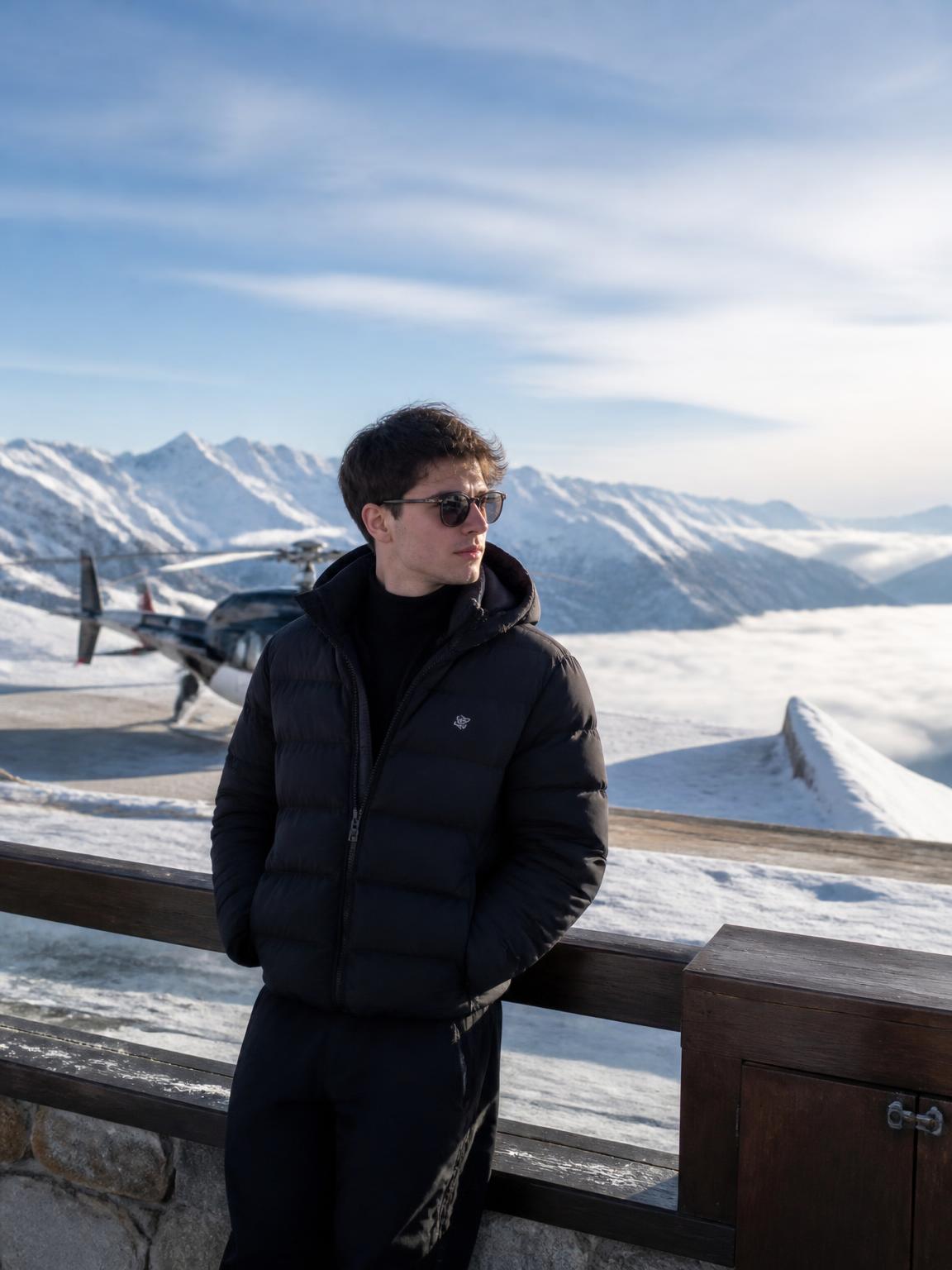
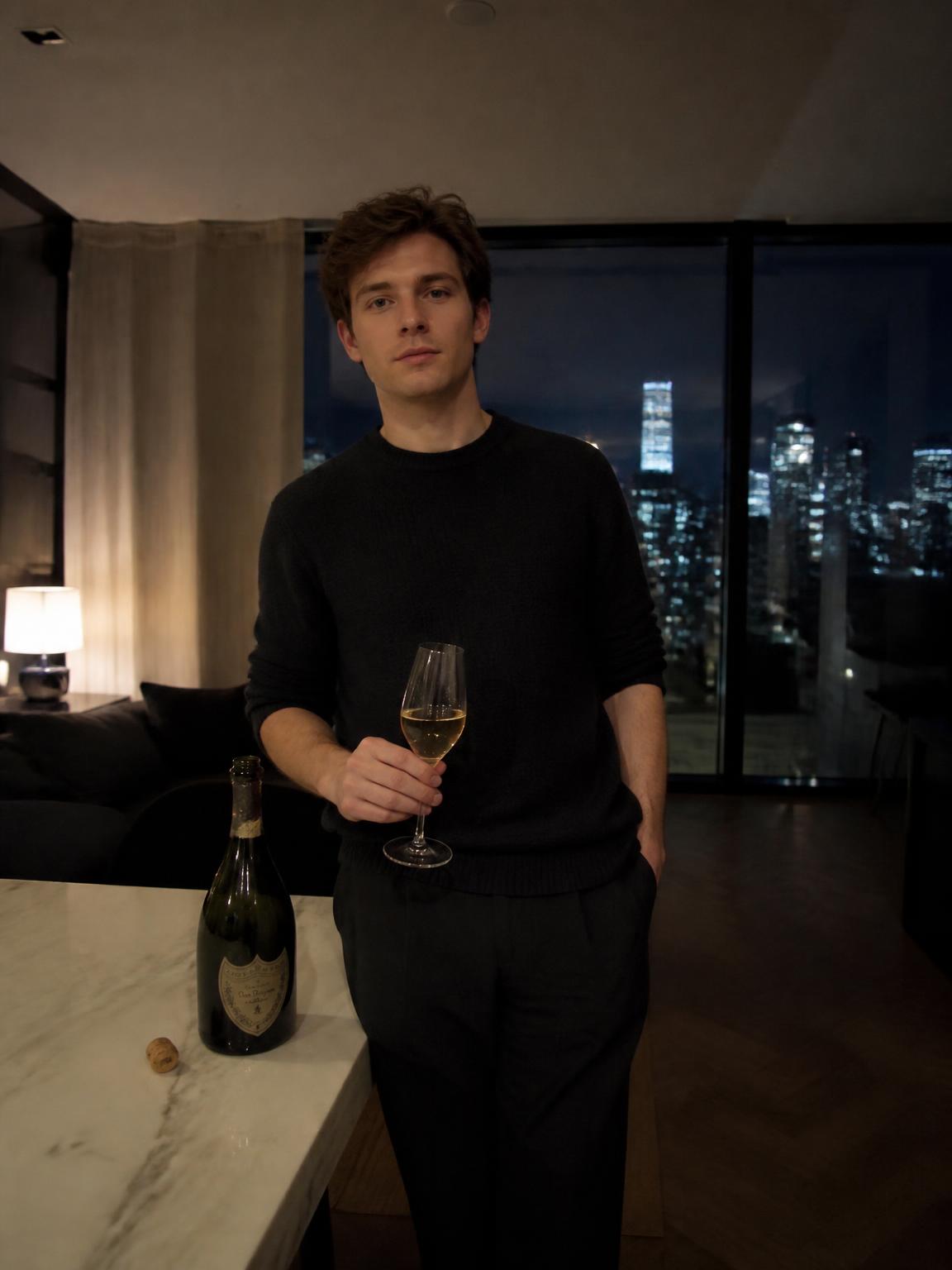
Every preset belongs to one of four families, each with a distinct lighting logic.
- Urban — hard directional sun between buildings, long shadows, reflective glass
- Coastal — high-key bounce off water, cool shadows, warm skin
- Alpine — extreme contrast, blue ambient fill from snow and sky
- Interior — mixed tungsten and window light, controlled falloff
Why lighting sells realism
The single strongest realism cue is agreement between the subject and the environment. If the scene is lit from camera-left at low angle, your face must be too, your shadow must fall right, and your skin must pick up the ambient color of what surrounds you.
This is what generic image tools most often get wrong: a correctly rendered environment and a subject lit as if in a studio. Lyvoriia relights the subject to the scene, which is why the output holds up when someone looks twice.
Getting better results from your upload
The output quality ceiling is set by your input.
- Use soft, even light — an overcast day or a window is ideal.
- Face the camera within about 30 degrees.
- Avoid hats, mirrored lenses and heavy shadows across the face.
- Use a recent photo so the result matches how people currently see you.
How Lyvoriia works
Upload your photo
One clear, front-facing image. A phone selfie works.
Choose your style
Each scene is a full photographic recipe: location, light, lens and grade.
Generate
Your face and proportions stay locked while the scene is built around you.
Download and share
A 4K file, yours to post, print or keep.
Benefits
Scene-accurate light
You are relit to match the environment rather than pasted into it.
Broad range
Urban, coastal, alpine and interior families cover most lifestyle needs.
4K output
Enough resolution for print, covers and full-bleed layouts.
No prompt writing
Presets carry the photographic decisions for you.
Use cases
- Personal social content
- Website and about-page imagery
- Concept frames before a real production
- Gifts, prints and personal projects
FAQ
- How is this different from a filter?
- A filter changes the colors of an existing photo. Lyvoriia builds a new scene around you and relights you into it.
- Can I request a specific city?
- Scenes cover location families rather than named streets, which keeps realism high and avoids inventing recognizable places you were not in.
- What if I do not like the result?
- Re-roll. Small changes in scene choice produce very different compositions.
- Is there a free trial?
- New accounts start with free credits so you can test the output before subscribing.
Keep exploring
Create your lifestyle photo
Pick a scene family and generate in 4K from a single upload.
Create my lifestyle photo