September 25, 2026 · 5 min read
How to Use an AI Photoshoot Generator with One Selfie
Learn how to turn a single selfie into professional, high-end lifestyle photos using an AI photoshoot generator. A complete guide to achieving 4K photorealistic results.
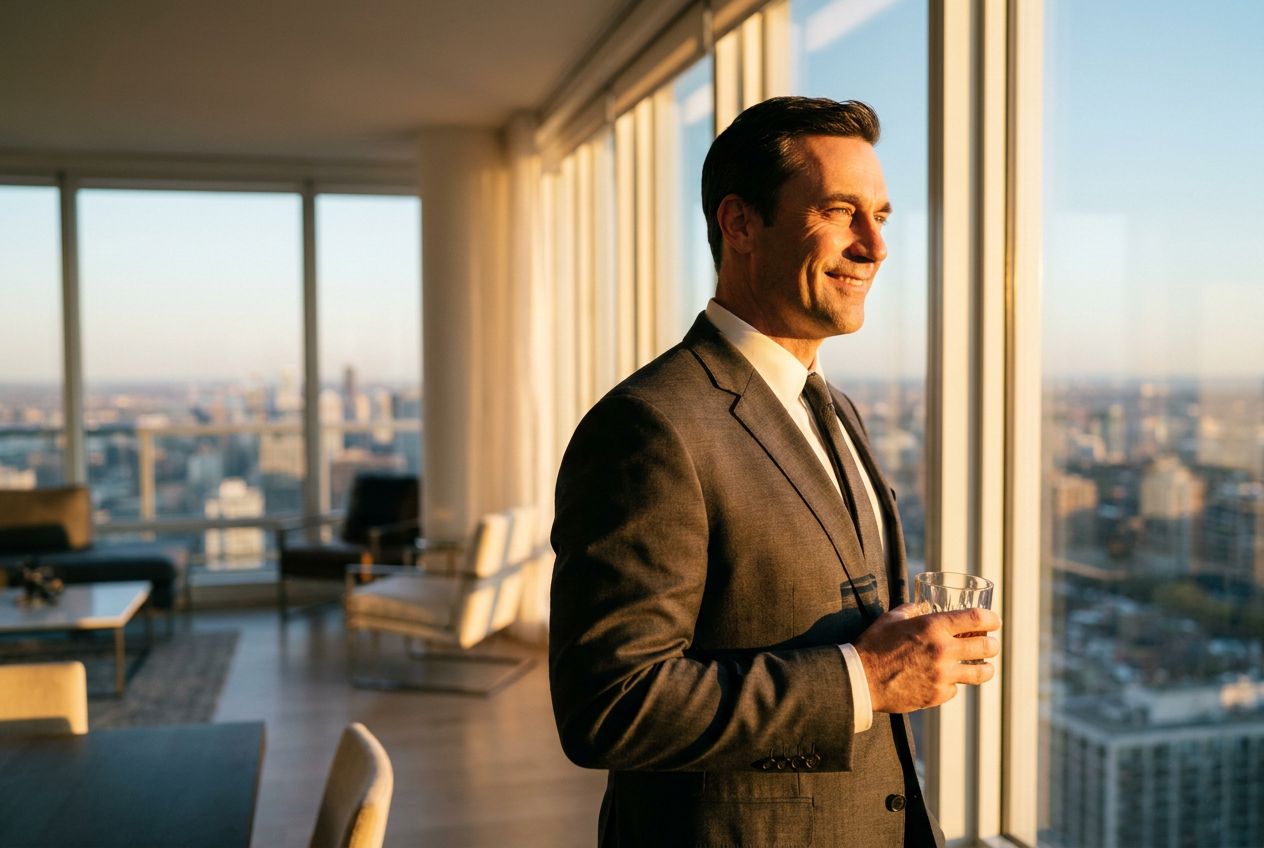
To make an AI photoshoot from one selfie, you simply need to upload a clear portrait to a specialized AI photoshoot generator that uses diffusion models to map your facial features onto new environments. Once your photo is processed, the software generates high-resolution lifestyle images that maintain your likeness while placing you in professional settings or luxury locations.
This technology has evolved rapidly, moving away from the distorted results of early filters toward high-fidelity 4K imagery. By using a single source image, the AI analyzes your facial structure, skin tone, and hair texture to recreate a digital twin that can be rendered into thousands of different scenarios, from corporate offices to private yachts, without needing a physical camera or a professional lighting crew.
How to Use an AI Photoshoot Generator Step by Step
Creating a high-quality digital portfolio does not require a studio session. The process is designed to be accessible for anyone with a smartphone and a few minutes of time. Following these steps ensures that the final output looks like a professional photograph rather than a computer-generated avatar.
1. Select Your Best Source Image
The quality of your output depends heavily on your input. Choose a selfie where your face is clearly visible, well-lit, and not obstructed by large sunglasses, hats, or heavy filters. A neutral expression or a natural smile works best, as the AI uses this baseline to project your features into various lifestyle scenes. Ensure the photo is high resolution and taken at eye level.
2. Choose Your Desired Lifestyle Scene
After uploading your photo to the generator, you will select the context of your photoshoot. Modern platforms allow you to choose from diverse categories. You might want to see yourself in a luxury penthouse, leaning against a supercar, or dressed in high-end ski gear on a mountain slope. The AI takes the lighting and color palette of these environments and prepares to integrate your likeness into them.
3. Generate and Refine
Click generate and wait for the AI to process the request. The engine will build a scene from scratch, calculating how light would bounce off your face in that specific setting. If the first result isn't perfect, most tools allow for variations. You can adjust the intensity of the likeness or change the setting until the result is indistinguishable from a real photograph.
What Makes an AI Photoshoot Look Real?
The difference between a cheap filter and a professional AI photoshoot generator lies in the technical details of the render. To achieve 4K photorealism, the AI must account for several photographic principles that the human eye subconsciously recognizes as "real."
Lighting and Global Illumination
Real photos have consistent lighting. If you are standing in a sunset setting, the light on your face must match the golden hour hues of the background. Advanced AI engines use global illumination techniques to ensure that shadows fall naturally and highlights on the skin match the light sources in the digital environment.
Lens Characteristics and Depth of Field
Photographers use specific lenses to create a "bokeh" effect, where the background is softly blurred to make the subject stand out. A high-quality AI generator mimics the aperture of a 35mm or 50mm lens. This creates a natural sense of depth, preventing the image from looking flat or "pasted on."
Film Grain and Skin Texture
Digital images that are too smooth often look fake. Real skin has pores, slight imperfections, and fine hairs. Professional AI tools add a subtle layer of film grain and maintain realistic skin texture. This prevents the "uncanny valley" effect where a face looks like plastic, ensuring the result looks like it was captured on a high-end DSLR camera.
Dynamic Framing
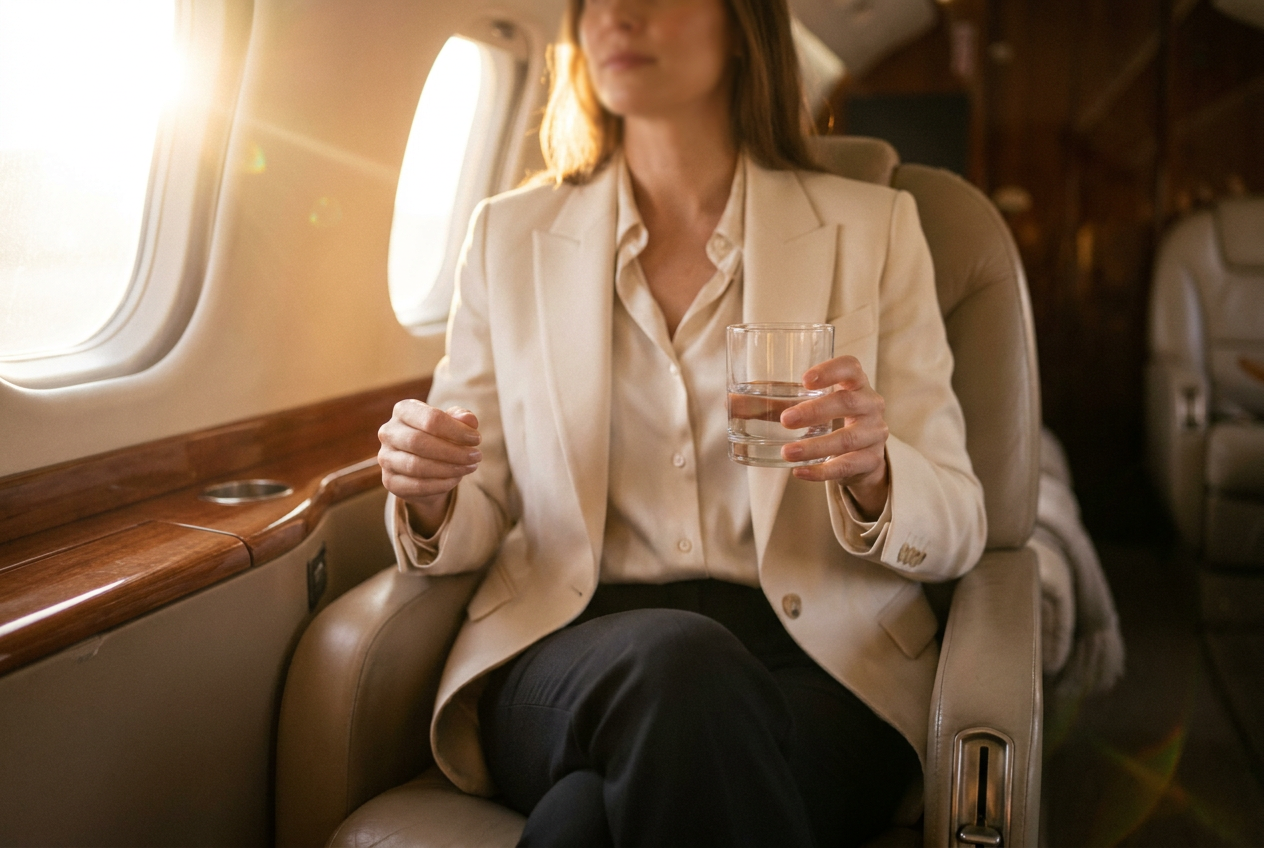
Composition is key to realism. The AI must follow the rule of thirds or leading lines just as a human photographer would. By framing the subject naturally within a penthouse or next to a private jet, the AI creates a balanced image that feels intentional rather than randomized.
Common Mistakes to Avoid
While the technology is powerful, user error can lead to unnatural results. Avoid these common pitfalls to ensure your images remain professional and convincing.
- Using low-light selfies: If your original photo is grainy or dark, the AI will struggle to map your features accurately, often resulting in a blurry or distorted face.
- Obstructed features: Avoid photos where hair covers a large portion of your face or where your hand is touching your cheek. The AI needs a clear map of your jawline and eyes to work effectively.
- Extreme angles: A selfie taken from a very high or very low angle can confuse the AI’s perspective. Stick to eye-level photos for the most consistent results across different scenes.
- Over-editing before upload: Do not use beauty filters or heavy retouching on your source selfie. The AI works best with raw, natural data to create a realistic final product.
Try it free
You can experience the power of this technology right now by exploring our try the free demo and seeing how your likeness transforms through an AI photoshoot generator.
Why use Lyvoriia?
Lyvoriia stands apart because it operates as an autonomous artificial intelligence. Unlike tools that simply swap faces onto existing stock photos, Lyvoriia uses its own proprietary AI engine to build every pixel from the ground up. This engine has been refined over several years of development to master the nuances of human anatomy, fabric physics, and architectural lighting. By relying on its own internal processing rather than third-party templates, Lyvoriia achieves a level of high image quality and realism that is unmatched in the industry. The result is a seamless, 4K lifestyle photo that truly looks like you were there.
As you use these powerful tools to enhance your digital presence, remember that these images are entirely AI-generated. While they provide a fantastic way to visualize yourself in new environments or upgrade your personal branding, they should always be used honestly and ethically in all personal and professional contexts.
Try it on your own selfie
One photo in, a 4K lifestyle shot out. Plans from $3.99 a month, cancel anytime.
Upload your photo