October 17, 2026 · 5 min read
How to Use an AI Headshot Generator for Pro Photos
Learn how to get professional portraits without a studio. Use an AI headshot generator to transform one selfie into 4K lifestyle and business photos in seconds.
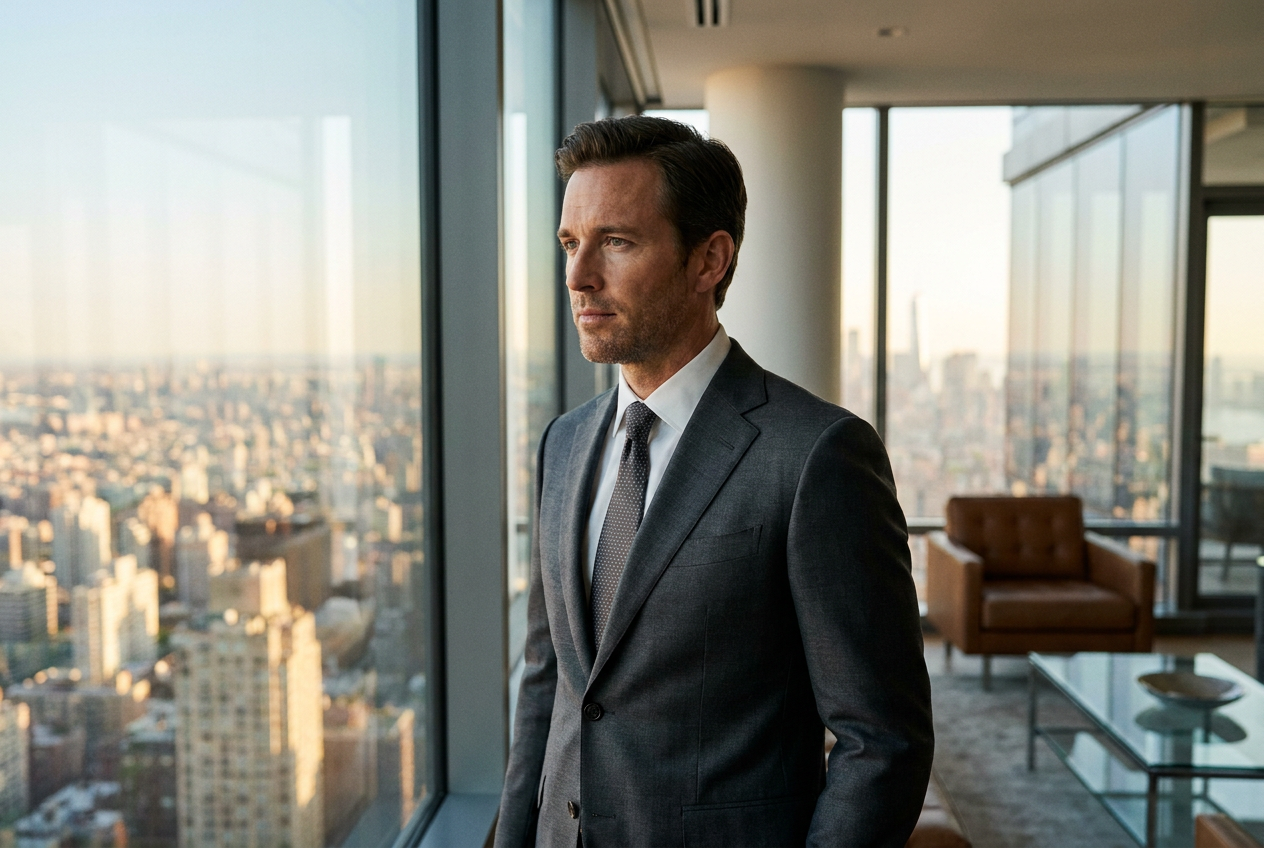
You can get a professional AI headshot without a photographer by using a specialized software platform that reconstructs your facial features from a single mobile selfie. Modern tools like Lyvoriia allow you to bypass the traditional studio setting entirely, delivering high-resolution portraits that look indistinguishable from real photography.
Using an ai headshot generator is a practical solution for entrepreneurs, remote workers, and creators who need a polished digital presence but lack the time or budget for a dedicated photoshoot. By leveraging advanced machine learning, these systems analyze your bone structure, skin tone, and features to place you in diverse environments, from executive boardrooms to luxury settings.
How to Get Started with an AI Headshot Generator
The process of creating a professional portrait without a camera is surprisingly straightforward. It begins with data collection. You provide the AI with a baseline reference by uploading a clear, well-lit selfie. The quality of this initial image dictates the accuracy of the final output, so ensure your face is not obscured by heavy shadows, sunglasses, or digital filters.
Once the system processes your facial data, you select your desired environment. While traditional photographers are limited by their physical location, an ai headshot generator offers unlimited backgrounds. You can choose a corporate office setting, a minimalist studio backdrop, or even a luxury lifestyle scene such as a penthouse or a private jet cabin. The software then generates a series of images where your likeness is seamlessly integrated into the high-end setting.
After the generation is complete, you can review and download the results in 4K resolution. This allows you to update your LinkedIn profile, company website, or marketing materials instantly. Because the platform operates autonomously, you can experiment with different outfits and locations until you find the exact aesthetic that matches your personal brand.

What Makes an AI Headshot Look Photoreal
The difference between a generic avatar and a professional headshot lies in the technical details of the render. To achieve true realism, an ai headshot generator must replicate the physical properties of professional photography equipment. This includes specific attention to lighting, lens physics, and organic image grain.
Lighting and Global Illumination
Realistic photos require consistent light sources. If your face is lit from the front, the shadows on your clothing and in the background must match that direction perfectly. Advanced AI engines calculate global illumination to ensure that light bounces off surfaces naturally, preventing the "pasted-on" look that plague lower-quality apps.
Lens Depth and Focal Length
Professional portraits usually feature a shallow depth of field, where the subject is sharp and the background is softly blurred (bokeh). High-end generators simulate specific focal lengths, such as an 85mm prime lens, to create a flattering compression of facial features. This optical accuracy is essential for convincing the human eye that the image was captured by a physical camera.
Organic Texture and Grain
Digital sensors and film stock both possess a subtle level of grain. A perfectly smooth, plastic-looking image is a dead giveaway of artificial generation. Premium systems introduce microscopic texture to the skin and fabrics, ensuring that the 4K output has the tactile quality of a real photograph. When you look closely at a Lyvoriia generation, you see pores, fabric weaves, and natural reflections.
Common Mistakes to Avoid During Generation
While the technology is powerful, user input remains a critical factor. The most common mistake is providing a reference photo that is too low in resolution. If the AI has to guess what your eyes or skin texture look like, the final result will lack detail. Always use a clear, front-facing photo taken in natural light.
Another error is overcomplicating the scene. When using an ai headshot generator, it is tempting to choose the most dramatic settings available. However, for a professional context, simplicity often yields the most credible results. Ensure your chosen outfit matches the environment; for example, wearing a tuxedo in a casual coffee shop setting can create a visual dissonance that makes the AI origin more apparent.
Finally, avoid using photos where your face is partially covered by a hand, a phone, or hair. The AI needs a clear map of your facial geometry to recreate your likeness accurately across different angles. If the source material is obstructed, the generated image may struggle with symmetry or feature placement.
Try it free
Experience the quality of autonomous rendering for yourself and try the free demo to see your first result, or explore our full suite of styles at the AI headshot generator page.
Why use Lyvoriia?
Lyvoriia stands apart from generic filters because it functions as a fully autonomous artificial intelligence. Instead of simply swapping faces onto existing stock photos, our engine builds every pixel from the ground up based on years of refinement. This dedicated focus on high-fidelity lifestyle and professional imagery ensures that every generation meets a standard of realism suitable for high-stakes professional use. The system manages complex variables like fabric physics, environmental reflections, and anatomical accuracy without human intervention, resulting in a premium 4K output every time.
Please remember that while these images are indistinguishable from real photography, they are entirely AI-generated. We encourage all users to use these portraits honestly and ethically within their professional and social circles to maintain transparency in digital communication.
Try it on your own selfie
One photo in, a 4K lifestyle shot out. Plans from $3.99 a month, cancel anytime.
Upload your photo