October 12, 2026 · 6 min read
How to Add Someone to a Photo AI Guide
Learn how to add someone to a photo ai using advanced tools. Create photoreal 4K lifestyle images with a companion using just one selfie and Lyvoriia's specialized engine.

You can add someone to a photo ai by using advanced generative platforms that place a digital companion next to your likeness. Instead of manual editing or complex software, modern AI systems take a single reference image of you and reconstruct a complete scene that includes another person, such as a partner or a friend, with photorealistic accuracy.
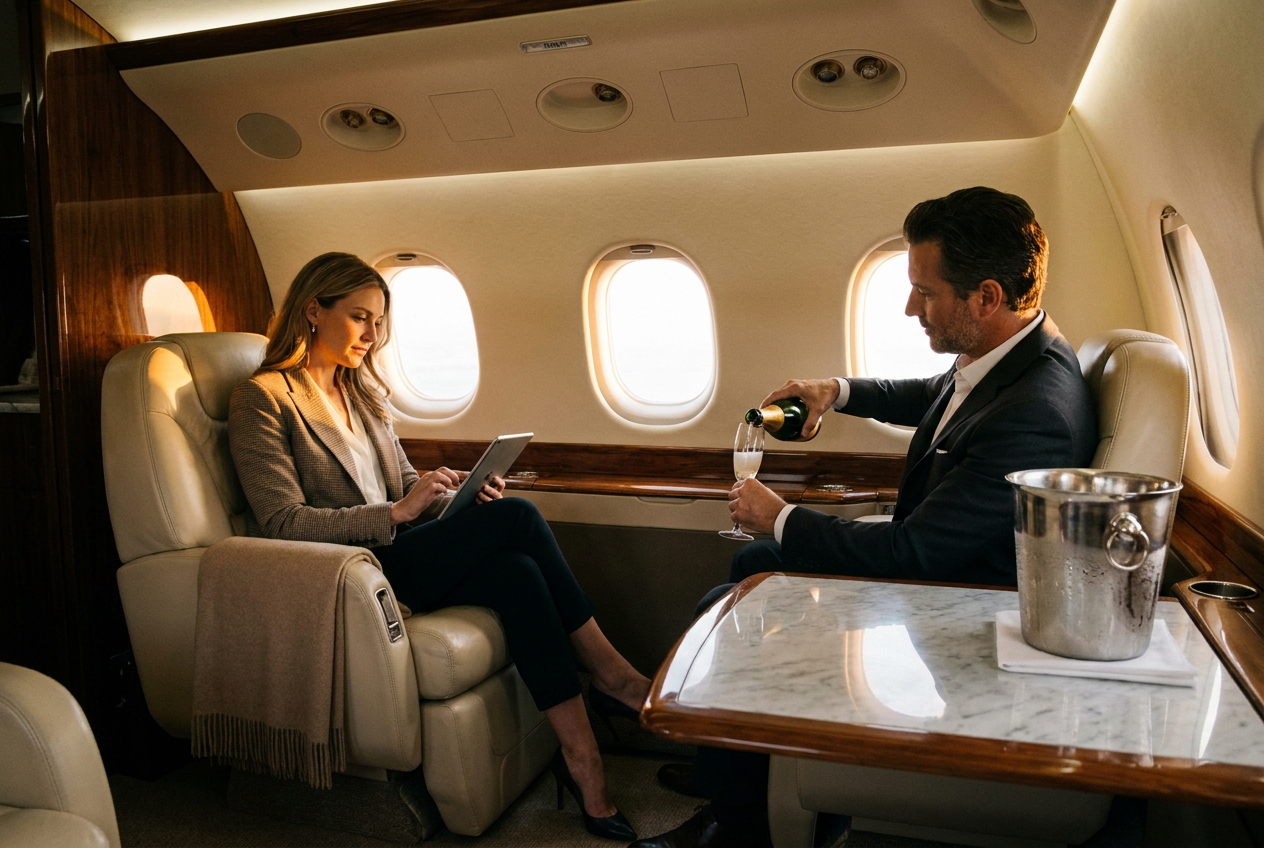
This process is remarkably efficient for those who want to create lifestyle imagery without the need for a professional photographer or a second model. By utilizing specialized algorithms, you can generate high-resolution photos that feature you in luxury settings—like a private jet or a penthouse—with a realistic companion standing right beside you, perfectly integrated into the environment.
How to add someone to a photo ai step by step
Generating a photo with a companion requires a platform capable of understanding human anatomy and spatial relationships. The first step involves selecting a high-quality selfie where your face is clearly visible. This serves as the primary reference for the AI to ensure the result looks exactly like you. You do not need multiple angles or professional headshots; a standard smartphone photo usually suffices as long as the lighting is clear.
Once you have uploaded your image, you select a specific lifestyle category. If your goal is to add a companion, you should choose templates or prompts designed for social interaction. These might include dining at a high-end restaurant, walking along a Mediterranean pier next to a yacht, or sitting in the back of a luxury vehicle. The AI then processes your features and generates a new scene from scratch, placing a realistically rendered person next to you who matches the style and tone of the environment.
After the generation is complete, which typically takes less than a minute, you receive a 4K image. Because the AI builds the entire scene simultaneously, the person added to the photo is not a flat cut-out. They interact with the lighting and the space in the same way your digital twin does. You can then download the image and use it for your personal branding or social media profiles, providing a high-status visual that would otherwise require a full production crew to capture.
What makes the result look real
The primary challenge when you add someone to a photo ai is ensuring the two figures look like they belong in the same physical space. To achieve true realism, the AI must master several photographic elements: lighting, lens physics, film grain, and framing. Without these, the image will look artificial or edited. In a high-quality generation, the light source is consistent across both subjects. If there is a sunset behind a yacht, the warm orange glow must hit your shoulder and the companion's face at the exact same angle.
Consistent Lighting and Shadows
Realism is found in the shadows. When two people stand close together, they cast shadows on each other and the ground. An advanced AI engine calculates these interactions, ensuring that the occlusion shadows between the two subjects are deep and accurate. This prevents the "floating" effect often seen in low-quality edits.
Lens Characteristics and Depth of Field
A real camera lens has a specific depth of field. If you are the focus of the photo, the companion might be slightly out of focus depending on their distance from the lens. Lyvoriia simulates high-end glass, such as a 35mm or 50mm f/1.8 lens, creating a natural bokeh effect. This blur is not just a filter; it is a mathematical recreation of how light enters a camera, making the added person feel physically present.
Texture and Film Grain
Digital images are often too smooth, which reveals them as fake. To ensure your AI-generated lifestyle photo looks like a real 4K photograph, a subtle layer of digital grain is applied. This matches the skin texture and clothing fabric of both you and the added person, unifying the image. The result is a crisp, high-resolution photo that retains the organic feel of professional photography.
Common mistakes to avoid
When attempting to add someone to a photo ai, the most common mistake is using a low-quality or obstructed reference selfie. If your face is covered by large sunglasses, heavy shadows, or hair, the AI may struggle to recreate your likeness accurately, leading to a mismatch between you and the companion in the final image. Always use a clear, front-facing photo with neutral lighting for the best results.
Another mistake is choosing conflicting styles. For example, if you upload a photo of yourself in casual gym wear but select a formal penthouse gala setting, the AI will try to bridge the gap, but the anatomical proportions can sometimes become distorted. It is best to let the AI handle the outfit entirely; Lyvoriia can replace your clothes with luxury attire that fits the scene perfectly, ensuring the composition remains believable.
Finally, avoid over-prompting or trying to force too many subjects into one frame. The most realistic AI photos focus on one or two people. Adding a large group often results in "hallucinations" where limbs or features become blurred. Sticking to a single companion ensures that the AI can dedicate enough processing power to making both faces look sharp, clear, and human.
Try it free
If you want to see how these advanced algorithms handle your likeness, you can try the free demo and experience the quality of our AI lifestyle photo generator today.
Why use Lyvoriia?
Lyvoriia is not a simple face-swapping tool or a basic filter app. It is an autonomous artificial intelligence engine that has been refined over several years to reach the pinnacle of image quality and realism. Unlike other tools that might stitch together existing stock photos, Lyvoriia builds every pixel from scratch based on its internal understanding of photography and physics.
Because the engine is autonomous, it handles the complex task of integration automatically. When you request a photo with a companion, the AI determines the best positioning, clothing, and interaction to make the scene look authentic. This specialized focus on 4K lifestyle imagery ensures that every generation meets the standards of high-end personal branding. The result is a seamless, photorealistic image that looks like it was taken by a professional photographer on location.
While these tools offer incredible creative freedom, please remember that these images are entirely AI-generated. They are intended for personal branding, creative expression, and social media enhancement. We encourage all users to be honest and transparent about the nature of their content when sharing these photos with their audience.
Try it on your own selfie
One photo in, a 4K lifestyle shot out. Plans from $3.99 a month, cancel anytime.
Upload your photo