October 22, 2026 · 5 min read
Best AI YouTube Photo Generator for Viral Thumbnails
Discover how an AI youtube photo generator creates photoreal 4K lifestyle images for thumbnails using just one selfie. Boost your CTR with high-end luxury visuals.
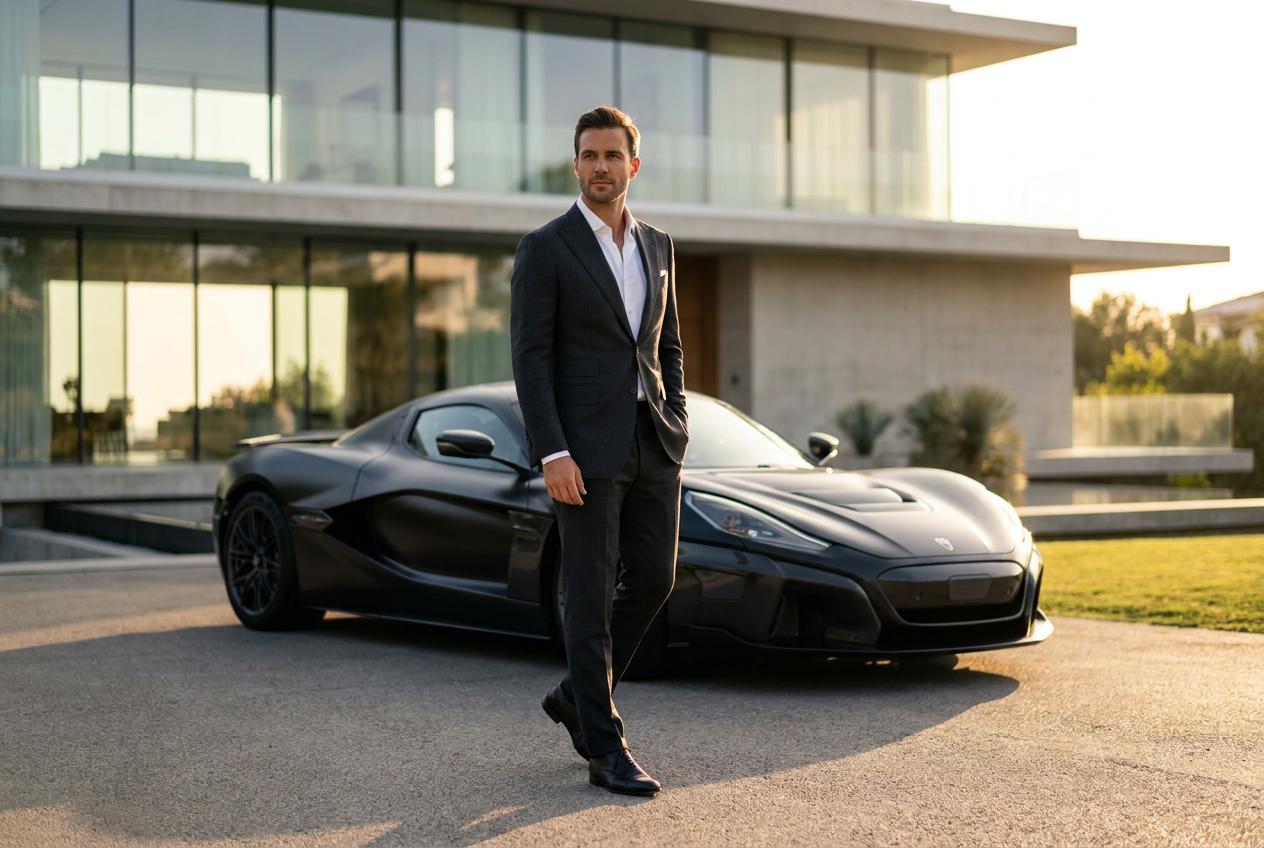
The best AI photo generator for YouTube thumbnails is one that prioritizes photorealism, high-resolution output, and consistent character likeness. Lyvoriia is a top-tier choice for creators because it transforms a single selfie into professional 4K lifestyle photos—ranging from private jets to exotic supercars—that look indistinguishable from real photography.
For YouTubers, high click-through rates often depend on the visual quality of the thumbnail. Using an ai youtube photo generator allows you to place yourself in high-production environments without the need for expensive equipment, travel, or complex editing software. This saves hours of production time while maintaining a premium personal brand aesthetic.
How to use an ai youtube photo generator step by step
Creating high-end thumbnail assets with Lyvoriia is a straightforward process designed for efficiency. You do not need technical skills in prompting or digital manipulation to get professional results. The platform is built to handle the heavy lifting of composition and rendering automatically.
- Upload your source image: Start by selecting one clear selfie. For the best results, ensure your face is well-lit and unobstructed. This single image serves as the blueprint for the AI to understand your unique facial features.
- Select your lifestyle theme: Choose the environment that fits your video topic. If you are discussing luxury finance, select a private jet or penthouse setting. For travel vlogs, choose a Mediterranean yacht or a Swiss ski resort.
- Choose your wardrobe and companion: You can customize the AI output by selecting specific luxury outfits. If your video features a co-host or a partner, you can also generate a realistic companion next to you to make the scene feel more authentic.
- Generate and download: The AI engine processes your request and produces a 4K image. Once generated, you can download the file directly to your device, ready to be imported into your thumbnail design software.
By following these steps, you eliminate the need for green screens or awkward stock photos. The resulting image features you naturally integrated into the scene, which builds immediate trust and curiosity with your audience.
What makes the AI result look real
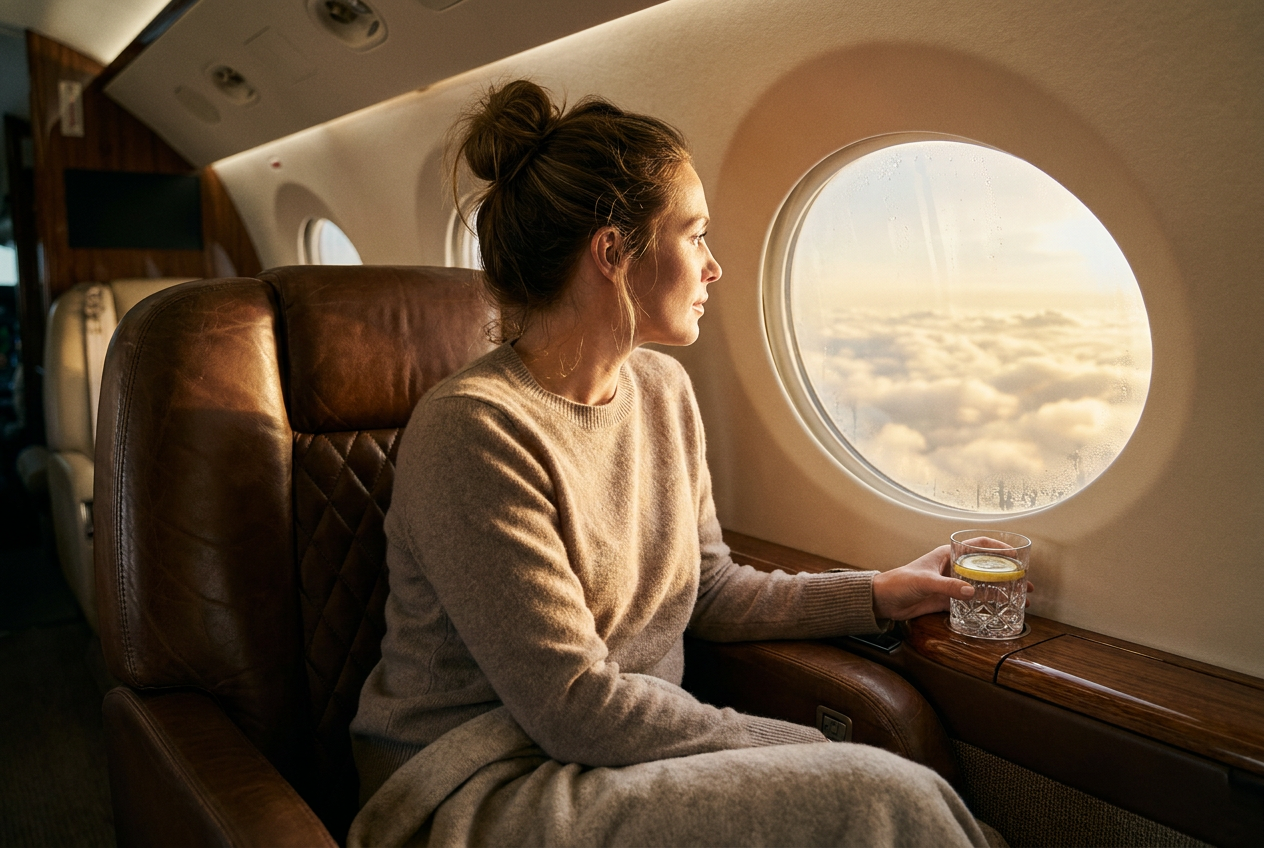
The difference between a generic AI image and a high-conversion thumbnail lies in the details. Lyvoriia focuses on four pillars of realism that ensure the generated photo stands up to scrutiny, even on large screens. These elements are critical for maintaining the "vlogger" feel rather than a CGI look.
Natural lighting and shadows
Lighting is often the biggest giveaway in artificial images. Our engine calculates how light should bounce off your skin based on the environment. If you are in a sunset setting on a yacht, the AI applies warm, golden-hour tones and ensures the shadows on your face align perfectly with the position of the sun. This creates a seamless blend between the subject and the background.
Lens depth and bokeh
Professional cameras use specific focal lengths that create a soft blur in the background, known as bokeh. Lyvoriia mimics the physics of high-end camera lenses, such as a 35mm or 50mm prime lens. By keeping the subject sharp and the background softly out of focus, the AI draws the viewer's eye directly to you, which is a key principle in effective thumbnail design.
Organic grain and texture
Digital images that are too smooth often look fake. Real photos have a subtle amount of texture and digital grain. The engine adds these organic imperfections to the skin and clothing, ensuring that the final 4K output has the tactile feel of a real photograph taken on a modern mirrorless camera.
Framing and composition
The AI understands the rule of thirds and how to frame a subject for maximum impact. Whether it is the sleek lines of a supercar leading the eye toward the center or the architectural framing of a penthouse window, the composition is engineered to look intentional and professional.
Mistakes to avoid when generating thumbnails
While the AI handles the complex rendering, your input and choices still matter. To get the most out of an ai youtube photo generator, you should avoid common pitfalls that can break the illusion of reality.
- Using low-quality source selfies: If your initial selfie is blurry, pixelated, or taken in very dark lighting, the AI has less data to work with. Always use a high-resolution, well-lit photo of yourself to ensure the output maintains your exact likeness.
- Over-crowding the scene: It can be tempting to add every luxury element at once. However, the most effective thumbnails are usually clean. Pick one clear focus—such as a luxury watch or a specific supercar—rather than trying to clutter the frame.
- Ignoring color harmony: Ensure the theme you choose matches the tone of your video. A bright, snowy ski scene might clash with a video about tropical real estate. Consistency in color helps in building a recognizable brand.
- Neglecting facial expressions: Choose a source photo where your expression matches the vibe of the thumbnail. A neutral or confident look works best for most lifestyle shots, whereas an overly aggressive expression might look out of place in a relaxed yacht setting.
Try it free
You can experience the power of a professional AI YouTube photo generator today without any commitment. We invite you to try the free demo and see how one selfie can be transformed into a high-end lifestyle image that elevates your content strategy.
Why use Lyvoriia?
Lyvoriia stands apart from other tools because it operates as an autonomous artificial intelligence. Instead of relying on third-party models or generic stock libraries, Lyvoriia utilizes its own proprietary engine that has been refined over years of development. This specialization allows the system to reach a level of image quality and anatomical realism that is specifically optimized for human features and luxury environments. By working within its own closed ecosystem, the AI maintains a consistent logic for lighting and texture that generic generators simply cannot replicate.
Using high-quality imagery is a powerful way to grow your channel, but it carries a responsibility for transparency. Please remember that these images are AI-generated representations. We encourage all creators to use these tools honestly as a way to enhance their visual storytelling and creative branding.
Try it on your own selfie
One photo in, a 4K lifestyle shot out. Plans from $3.99 a month, cancel anytime.
Upload your photo