October 6, 2026 · 6 min read
Achieving Realism With an AI Realistic Photo Generator
Learn how to make AI photos look real and not fake. Discover how Lyvoriia uses advanced rendering to create photorealistic lifestyle images from a single selfie.

To make AI photos look real and not fake, you must use a tool that preserves your facial geometry while simulating organic camera physics like depth of field and natural lighting. Achieving a lifelike result requires a high-quality ai realistic photo generator that avoids the plastic skin textures and distorted proportions common in basic filters.
Many users struggle with artificial intelligence because the output often looks too perfect or mathematically symmetrical. Real photography is defined by subtle imperfections, specific lens behaviors, and how light interacts with the environment. By focusing on these photographic principles, you can transform a simple mobile selfie into a 4K lifestyle image that is indistinguishable from a professional photoshoot.
How to Use an AI Realistic Photo Generator Step by Step
Creating a realistic image begins with the input data. Unlike older systems that required dozens of photos to learn your face, modern autonomous AI only needs one high-quality reference. Follow these steps to ensure the best results:
- Select a Clear Source Photo: Choose a selfie where your face is clearly visible, well-lit, and facing the camera. Avoid heavy filters, sunglasses, or hats that obscure your features, as the AI needs to map your unique bone structure accurately.
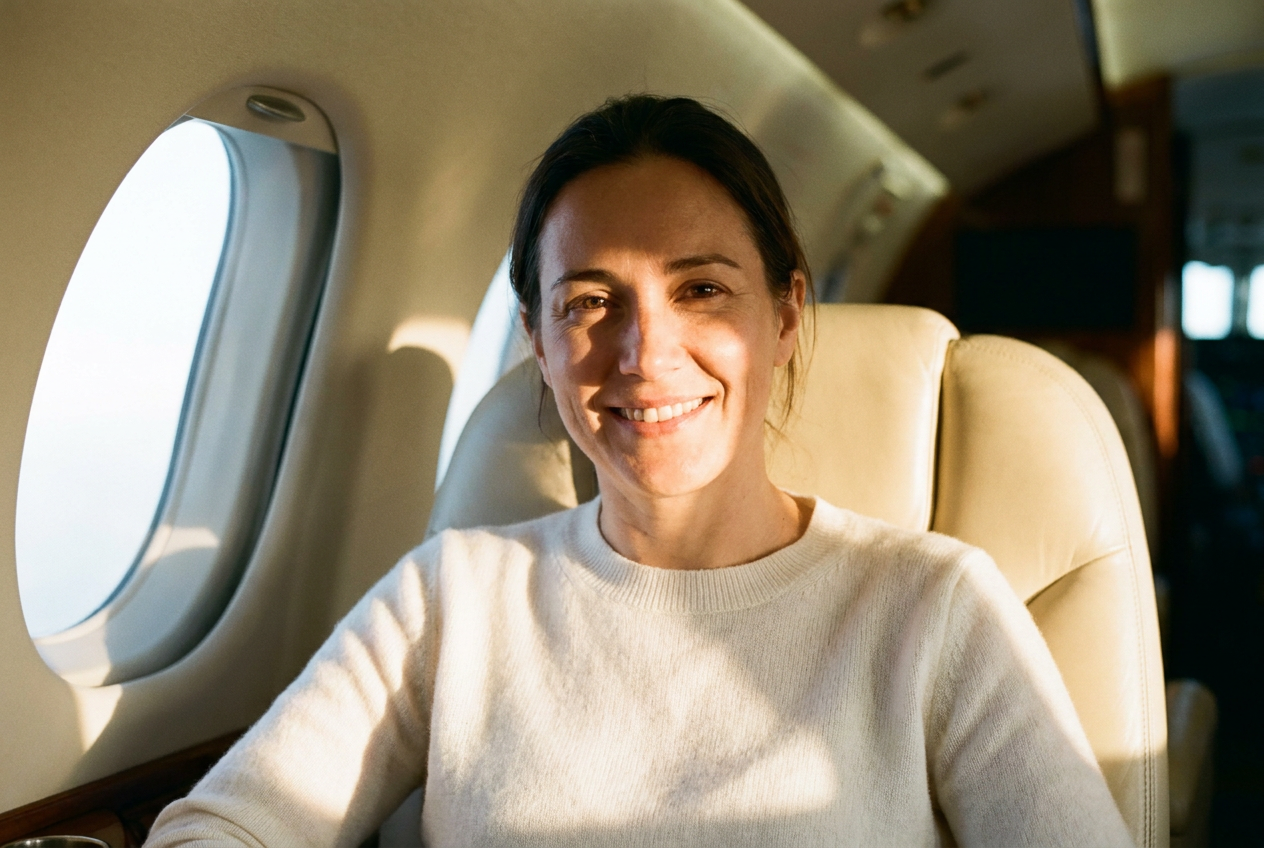
- Choose a Lifestyle Environment: Select a setting that matches the logic of your desired outcome. Whether it is a luxury penthouse in Manhattan or the cabin of a private jet, the AI will build the scene around you, ensuring your reflection and shadows match the surroundings.
- Define the Wardrobe: High-end realism is often tied to the textures of clothing. A quality generator will render the specific weave of a wool blazer or the matte finish of a silk dress to ground the subject in reality.
- Generate and Refine: Once the AI processes the request, it renders the image using 4K resolution. This high pixel density is crucial for maintaining the sharpness of your eyes and the natural texture of your skin.
What Makes an AI Photo Look Real
The difference between a "fake" look and a professional photograph lies in the technical execution of the render. A sophisticated ai realistic photo generator focuses on four key pillars of photography:
Natural Lighting and Global Illumination
Fake AI images often have "flat" lighting where the subject looks pasted onto a background. Realism requires global illumination, where the light source—such as the sun hitting a yacht deck—reflects off the water and casts a subtle blue tint onto the subject's skin. Lyvoriia calculates these light bounces to ensure you look like you are actually in the space.
Optical Lens Characteristics
Real cameras have a specific "bokeh" or background blur. A fake image often blurs the background uniformly, whereas a real photo has a gradient of focus. By simulating a 35mm or 50mm prime lens, the AI creates a shallow depth of field that draws focus to your eyes while softly blurring the distant cityscape or supercar behind you.
Film Grain and Texture
Digital sensors and film stock have a microscopic level of noise known as grain. If an image is too smooth, the human brain flags it as "uncanny" or plastic. A realistic generator adds a subtle, randomized grain overlay and preserves natural skin pores, fine hair, and fabric textures to mimic the output of a high-end DSLR.
Candid Framing and Composition
Professional photography rarely uses perfectly centered, stiff poses. Realism is achieved through candid framing—a slight tilt of the head, a natural hand position on a steering wheel, or a relaxed seated position in a lounge. This removes the robotic symmetry that often plagues lower-quality AI tools.
Common Mistakes to Avoid for Better Realism
Even with the best technology, certain user choices can break the illusion of a real photo. To maintain a high level of authenticity, avoid these common pitfalls:
- Over-Prompts: Do not try to pack too many conflicting elements into one scene. A photo of a person in a ski suit standing inside a tropical penthouse will look fake because the context is illogical. Stick to consistent environments.
- Ignoring Scale: Ensure the subject's size relative to the objects—like a private jet or a luxury vehicle—is proportional. High-quality engines handle this automatically, but choosing poorly matched templates can skew the perspective.
- Low-Resolution Sources: If your initial selfie is pixelated or dark, the AI has to "guess" your features. This leads to the smoothing effect that makes photos look like CGI. Always start with a crisp, high-resolution original.
Try it free
Experience the quality for yourself and try the free demo to see how our AI realistic photo generator handles your unique features with precision.
Why use Lyvoriia?
Lyvoriia stands apart because it is powered by an autonomous artificial intelligence engine. Rather than relying on generic open-source models that produce repetitive results, Lyvoriia utilizes a proprietary system refined over years of development. This engine is specifically tuned for high-fidelity realism, focusing on the complex physics of light, skin micro-textures, and environmental integration. Because the AI works autonomously from its own refined logic, it produces 4K lifestyle photos that maintain consistent quality across various categories, from luxury travel to high-fashion portraiture.
While these images provide a powerful way to visualize yourself in aspirational settings, it is important to remember that they are entirely AI-generated. We encourage all users to use these photos responsibly and be honest about the technology used to create them when sharing with your audience.
Try it on your own selfie
One photo in, a 4K lifestyle shot out. Plans from $3.99 a month, cancel anytime.
Upload your photo